Get 20% off on LUTs & Presets ! Use Code : Colors
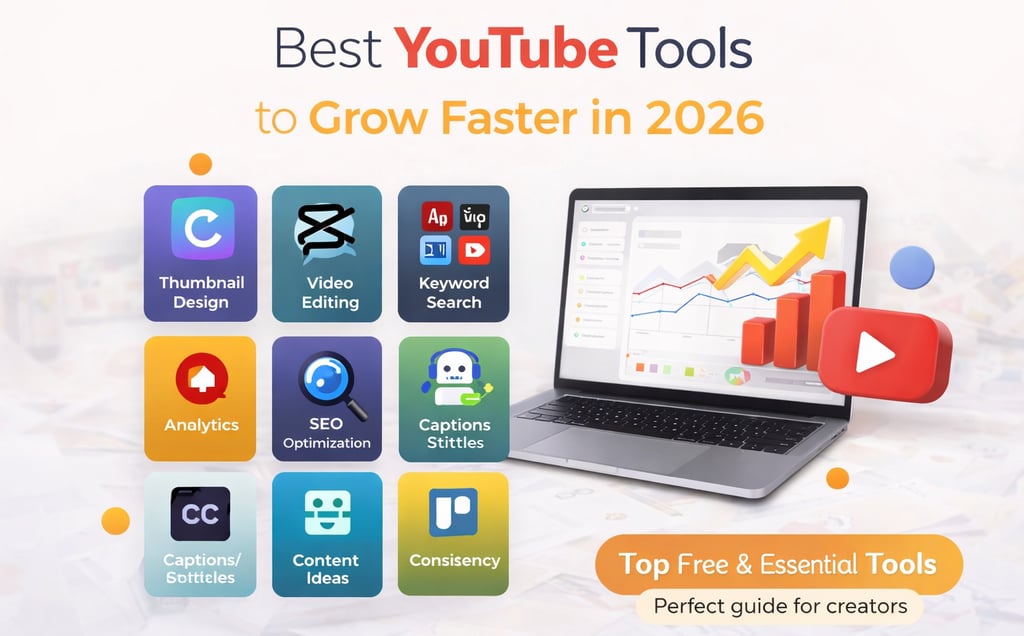
Best Free YouTube Tools to Grow Faster in 2026 (Complete Guide)
Growing on YouTube in 2026 is not just about uploading videos. With increasing competition, creators need to work smarter using the right tools. From keyword research to thumbnails and analytics, the right tools can help you: Increase views Improve click-through rate Grow subscribers faster In this guide, we’ll cover the best free YouTube tools that can help you scale your channel efficiently.
3/23/20262 min read
1. Keyword Research Tools (Get More Views)
If you don’t target the right keywords, your videos won’t reach the right audience.
🔧 Best Tools:
TubeBuddy (Free version)
VidIQ (Free plan)
Google Trends
What They Help With:
Finding trending topics
Keyword difficulty
Search volume
Practical Example:
Search your niche → find low competition keywords → create video → rank faster.
2. Thumbnail Design Tools (Increase Clicks)
Thumbnail = first impression
If your thumbnail is weak, no one clicks.
🔧 Best Tools:
Canva (Free)
Adobe Express
What You Can Do:
Create eye-catching thumbnails
Add bold text
Remove background
Pro Tip:
Use faces + emotions + bold colors
👉 This increases CTR significantly
3. Video Editing Tools (Improve Quality)
Editing quality plays a huge role in retention.
🔧 Best Tools:
CapCut
DaVinci Resolve (Free)
VN Editor
What They Help With:
Smooth cuts
Effects
Transitions
4. SEO Optimization Tools
Uploading a video is not enough. You need to optimize it.
🔧 Best Tools:
TubeBuddy SEO Studio
VidIQ Score System
ChatGPT (for titles & descriptions)
What They Help With:
Title optimization
Tag suggestions
Description writing
Practical Example:
Use AI to generate 5 titles → pick the best one → better reach.
5. Analytics Tools (Grow Smartly)
Successful creators analyze their data.
🔧 Best Tools:
YouTube Studio (Built-in)
VidIQ Analytics
SocialBlade
What to Track:
Watch time
CTR (Click Through Rate)
Audience retention
Pro Tip:
Repeat what works
👉 If one video performs well → make similar content
6. Caption & Subtitle Tools
Subtitles improve engagement and accessibility.
🔧 Best Tools:
YouTube Auto Captions
CapCut Auto Captions
Why It Matters:
Better retention
More reach
Useful for silent viewers
7. Content Idea Generators
Running out of ideas is common.
🔧 Best Tools:
ChatGPT
AnswerThePublic
Google Trends
What They Help With:
Video ideas
Trending topics
Audience questions
8. Workflow Tools (Stay Consistent)
Consistency is key on YouTube.
🔧 Best Tools:
Notion AI – planning
Trello – task management
Google Calendar – scheduling
Conclusion
Growing on YouTube becomes much easier when you use the right tools. Instead of guessing, you can make data-driven decisions and improve your content consistently.
Start with free tools, stay consistent, and upgrade only when needed.
👉 You can also explore creator tools here:
tools4creators.com
FAQs
1. Which free tool is best for YouTube growth?
TubeBuddy and VidIQ are the most useful.
2. Do I need paid tools to grow?
No, free tools are enough to start.
3. How important are thumbnails?
Very important. They decide whether people click or not.
4. Can small channels grow fast?
Yes, with the right strategy and consistency.
5. How often should I upload?
At least 1–2 times per week.